Tessel — a modular shelving configurator
Compose a modular oak shelving unit in 3D, change its size, finish and storage, and see the price update without a single page reload.
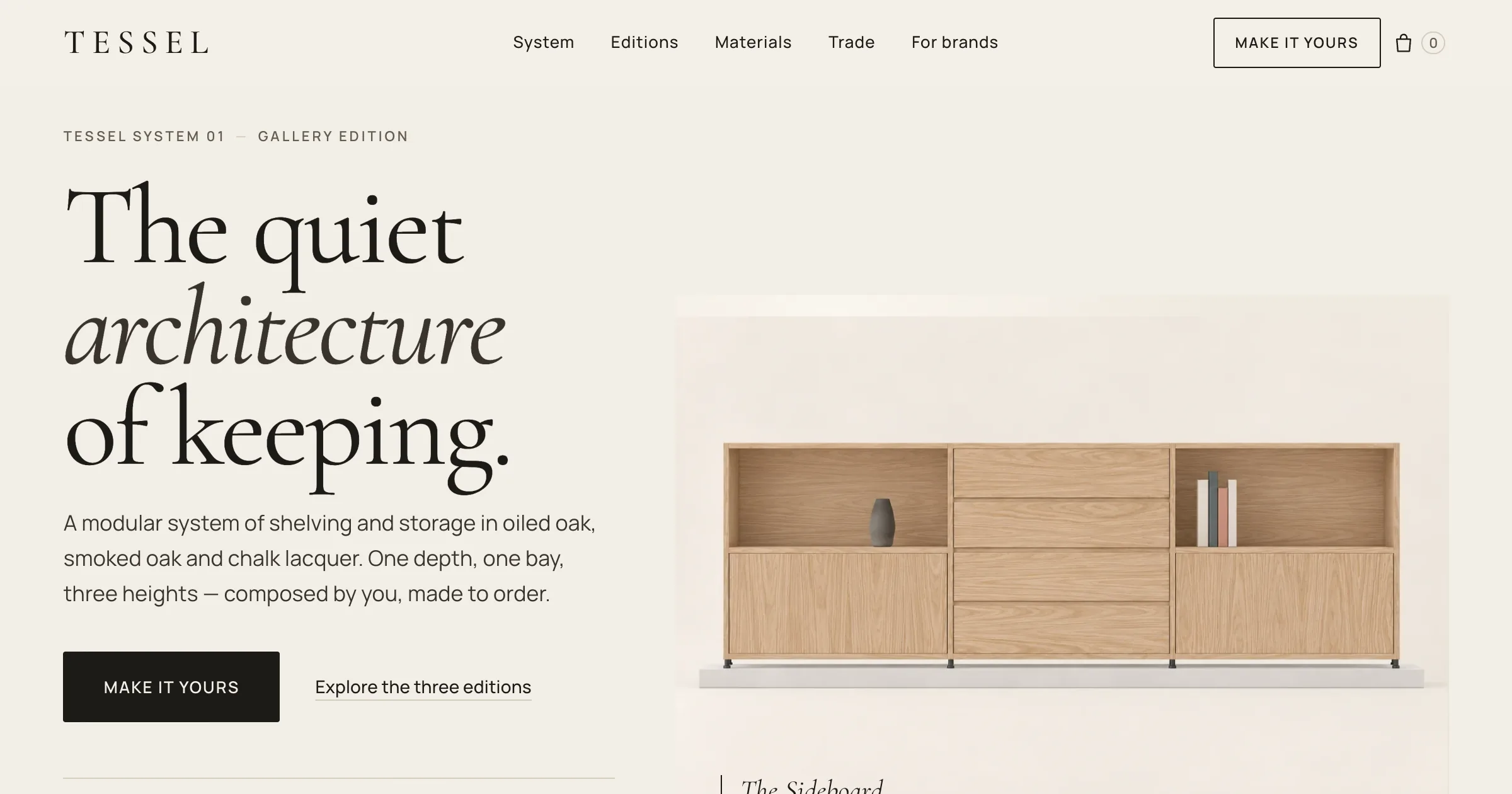 Full size
- What I was testing
- I wanted to know whether a furniture configurator could feel instant, with real modelled geometry and materials rather than a flat preview.
- What I found
- Speed came from keeping one scene alive and changing only the parts that differ. In local tests a finish or module click reached the new price in under 100 ms.
Tessel is a modular shelving and storage range I designed and built, with a fast 3D configurator at its heart. The brand is fictional. It has one depth, one bay width, three heights and three finishes: oiled oak, smoked oak and chalk lacquer. You start from one of three editions (the Sideboard, the Media Wall or the Library) and press “Make it yours” to turn the hero shelf into the configurator.
Speed was the point
My main complaint about other configurators was that they reload constantly. Here every edit happens in the same live scene. When you add a bay or change the height, existing pieces stay where they are and new ones arrive one at a time; nothing is stretched. I compared three transition styles in a separate motion study before choosing that one. Measured locally on the production build, a click on a finish or module reached the updated price in 96.6 ms at the 95th percentile.
How it’s built
A single catalogue file drives dimensions, prices and the bill of materials. The geometry and materials are authored in Blender on a remote modelling machine and shipped as compressed glTF with KTX2 textures. Browser checks cover lost graphics contexts, missing textures, reduced motion and mobile WebKit. I haven’t profiled it on a physical iPhone yet, so I don’t claim a phone frame rate.
In the demo:
- Open doors, drawers and flaps with a double-click
- An exploded view linked to the bill of materials
- Undo and redo, saved and shareable designs, and a local bag (no live checkout)